Navigate to Onshape’s App Store, install MechAI once, then open it from any Onshape document. Open MechAI in Onshape’s App Store

App Store

1

Open the MechAI listing

On the App Store page, click Subscribe.MechAI App Store listing with the Subscribe button
2

Confirm the free plan

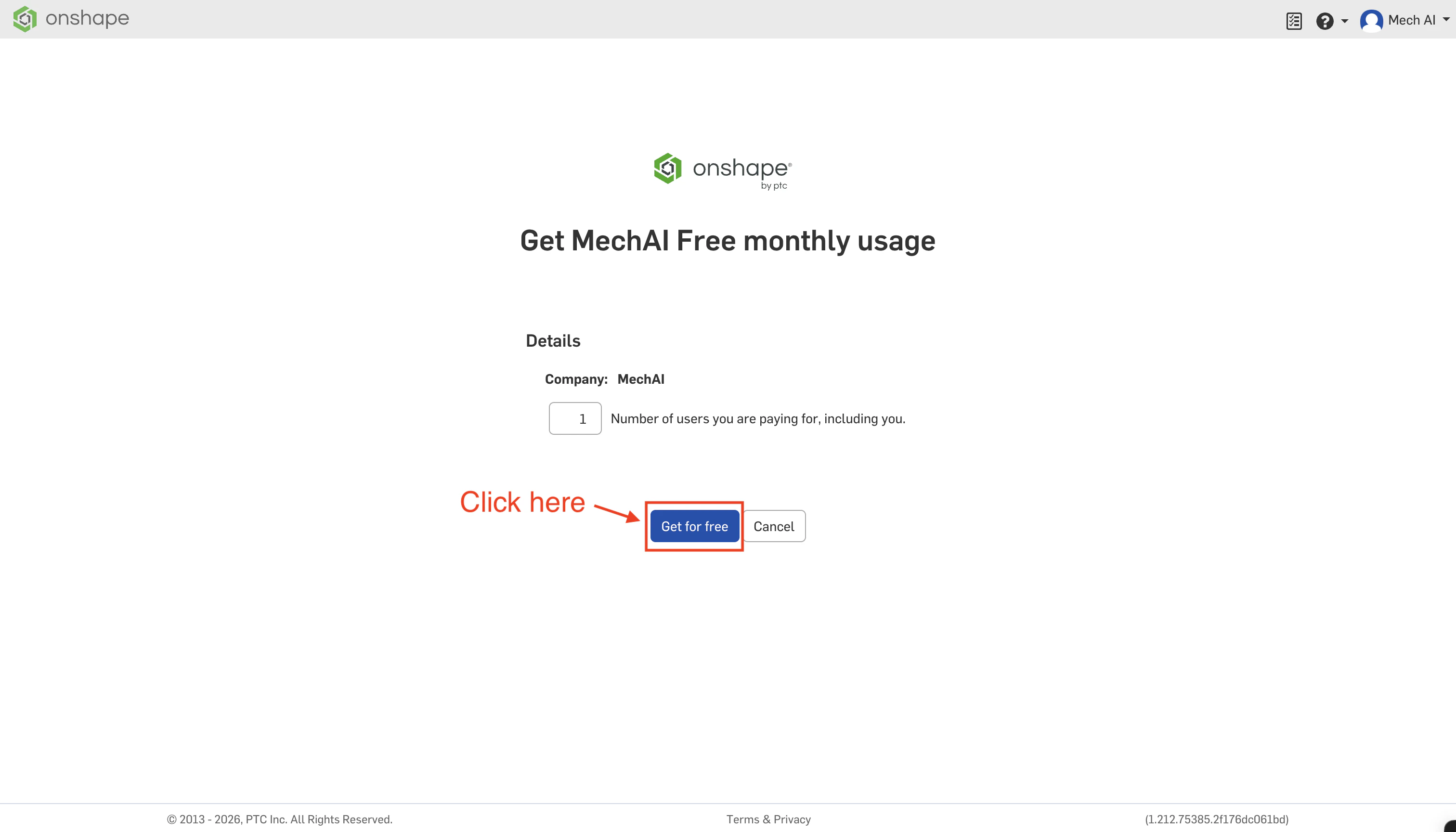
On the next screen, click Get for free.Free plan confirmation screen with the Get for free button
3

Finish the install

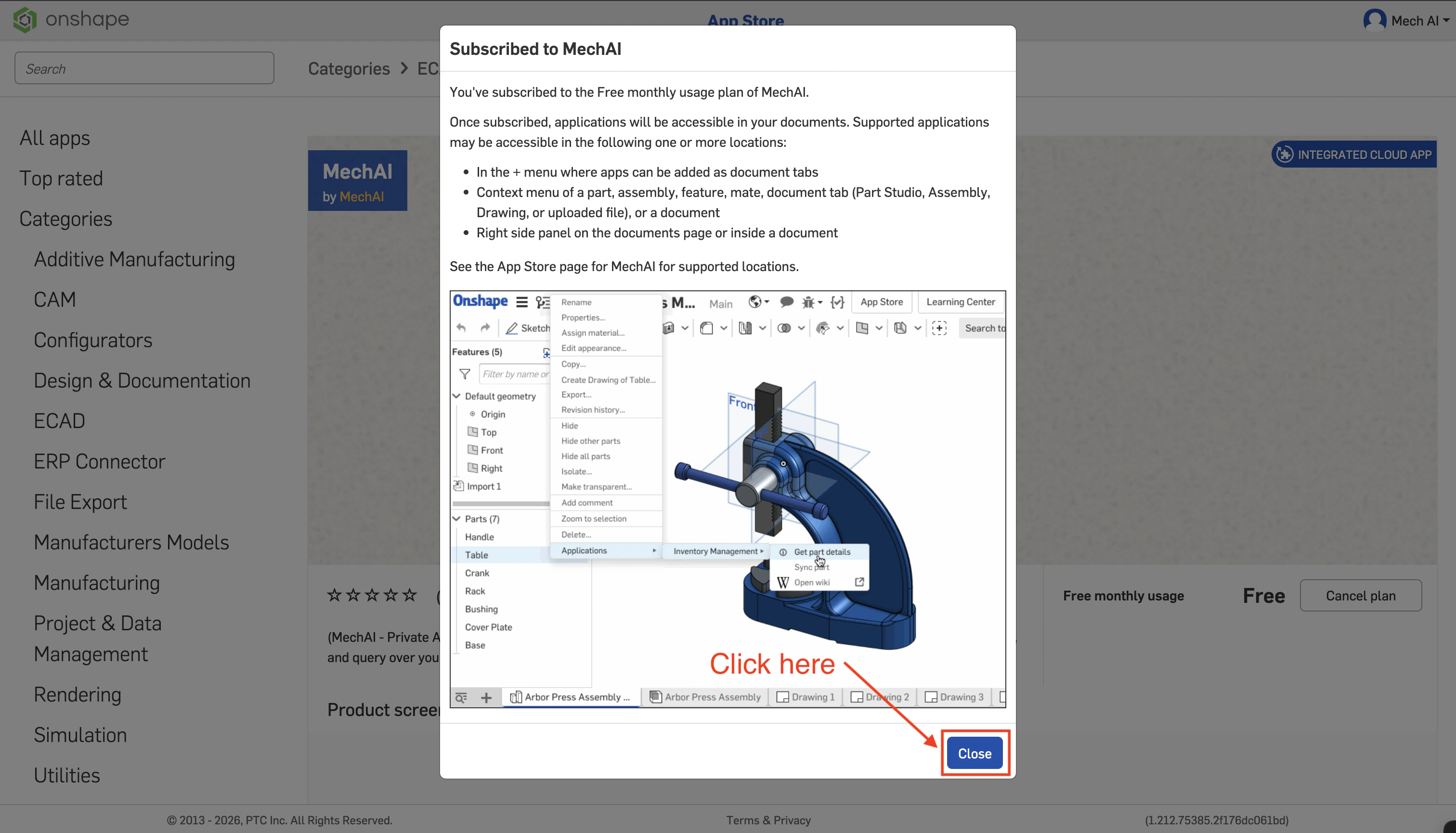
When the confirmation dialog appears, click Close.Subscription confirmation dialog with the Close button
4

Verify the app is available

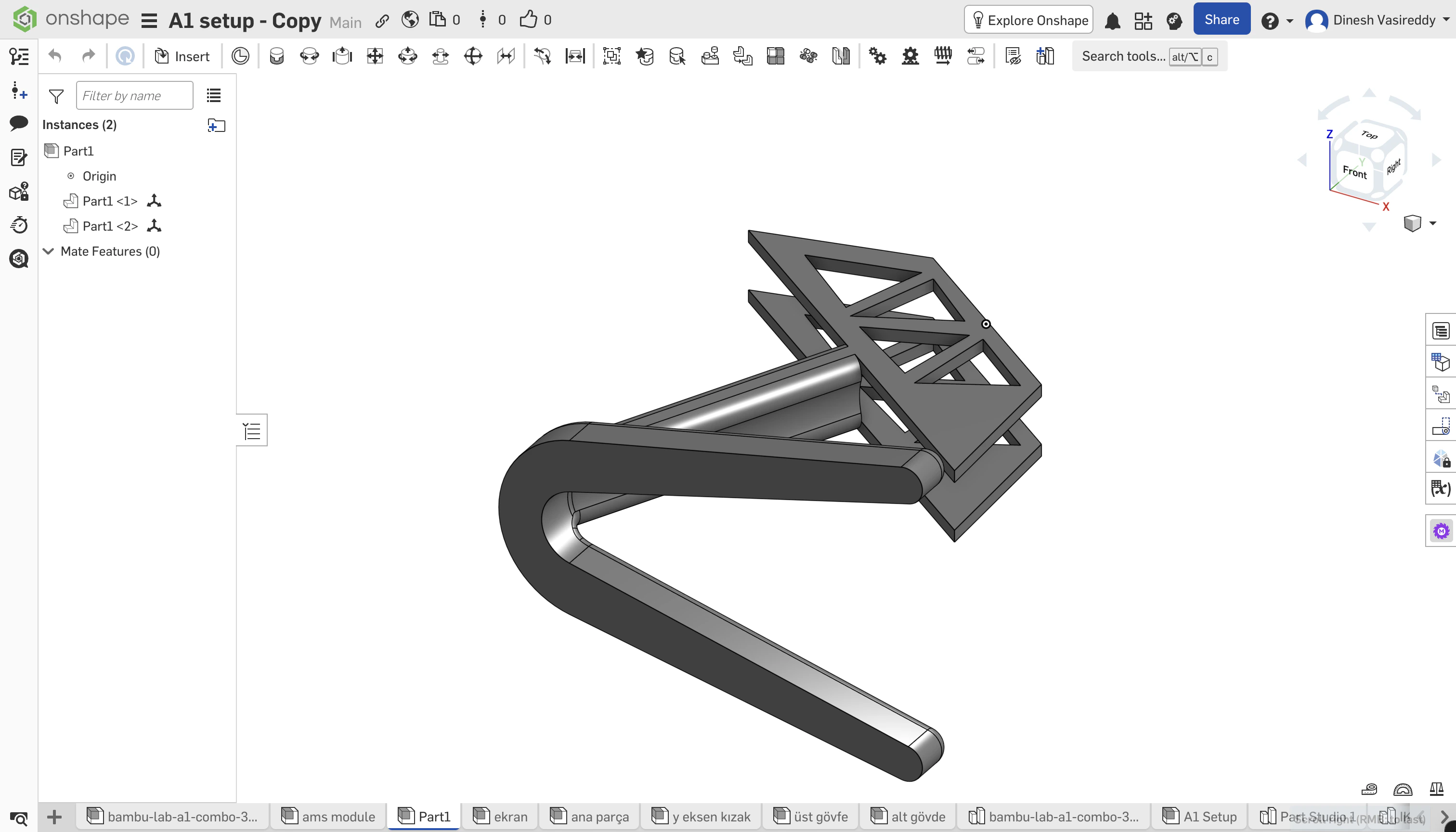
Return to your Onshape document and confirm the MechAI app appears in the right-side app bar.Onshape workspace with the MechAI app available in the right-side toolbar

Sign-in

Once the app is installed, continue to the sign-in step.